Add your project context
Start with your website and references for a business, or an approved portrait for a personal brand. Add your language, perspective and boundaries
Sources + portrait → Project context
AI social manager
Social content for your business or personal brand — shaped by your sources, your voice and the schedule you choose
Access by invitation


Interactive demo with sample brands
Content examples
Explore three sample brands, each with its own voice, visual direction and post copy

Creative studio
Warm, visual and confident. A studio with something to say about design
Before adding another section, try this: give someone five seconds on your page. Then ask what you do and what they should do next. If either answer is fuzzy, start with the headline. Clear beats clever when people are finding their way in.
Explore our approach ↗Rich text, clear paragraphs and relevant link buttons
Sample brands and illustrative posts
Personal Brand Private preview
Give your ideas an editor who knows where you stand — your expertise, your opinions and the lines you won’t cross
Start with a portraitYour facts, audience and professional perspective — kept separate from company messaging
Choose how you soundNatural, Expressive or Full spectrum, with separate controls for slang, abbreviations, casual address and strong language
Give the idea some roomA short observation or a longer argument — an image, product mention and call to action are optional
LinkedIn draft preparation is in private preview
Live connection and publishing tests are still pending
How it works
Start with your website and references for a business, or an approved portrait for a personal brand. Add your language, perspective and boundaries
Prepare a business update or an author-led post around a useful idea, story or opinion. Personal posts can be text-only
Prepare a version for each selected channel, with the formatting, caption and links that fit the destination
Choose days, time windows and timezone. Preview upcoming content, adjust the calendar or pause the project
 FormaSources
PROJECT CONTEXT
About · Work · Approach
Previous posts + upcoming ideas
Your workspace
Keep business and personal projects together, with separate sources, voices and settings. Preview content and adjust each calendar
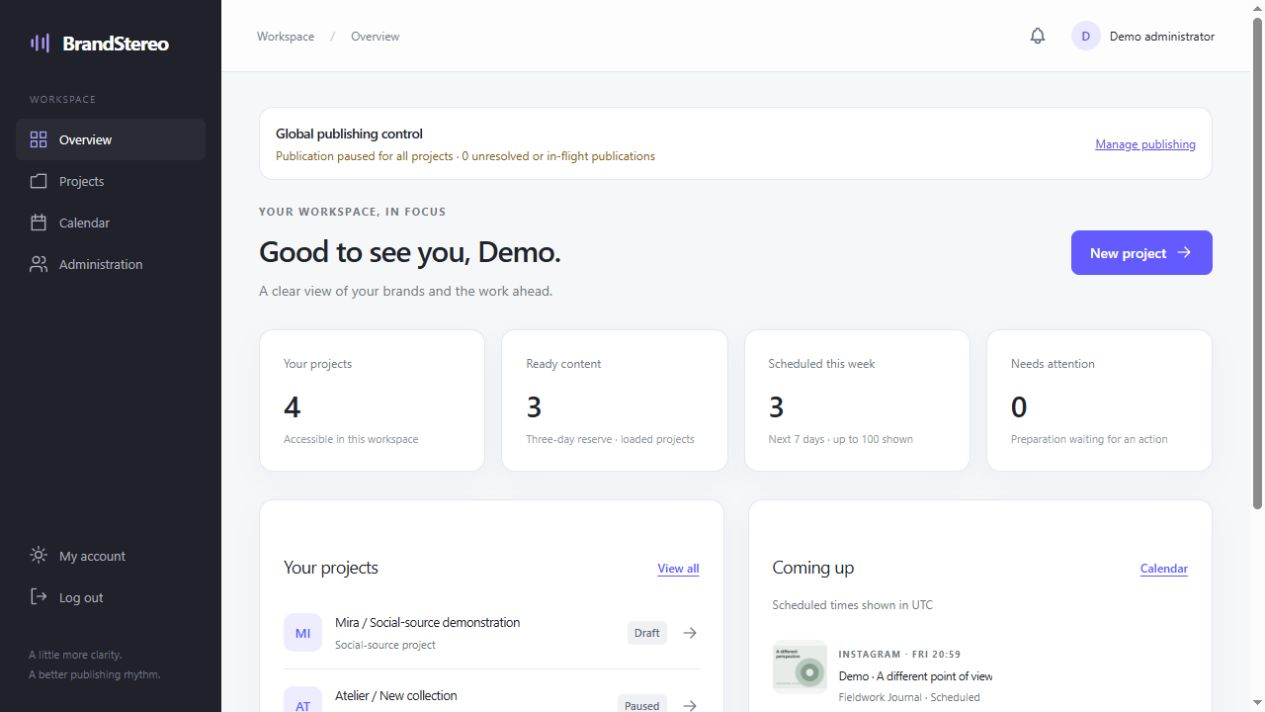
Actual workspace preview · Scroll to explore
Sources, voice and history stay with the right project
Review upcoming posts before they go out
Prepared content stays saved when plans change
Channel availability
Start with the channels supported today. More networks and formats are coming soon
Image posts, formatted text and URL buttons
Single-image feed posts and adapted captions
Personal Brand drafts · connection and publishing tests pending
COMING SOON
More social networks · Automated Reels · YouTube content · AI bloggers
FAQ
For a business, start with your website and brand references. For a personal brand, define your expertise, audience, views and writing style. Personal posts can stand on their own as text; a company website, image or sales pitch is optional
Yes. Preview captions and final images, check upcoming posts in the calendar and pause a project. Prepared content stays saved when you pause
Telegram channels where the BrandStereo bot has permission to publish, and eligible professional Instagram accounts through official authorization. Instagram currently supports single-image feed posts. Personal Brand for LinkedIn is in private preview; live connection and publishing tests are still pending. See Channel availability for the current status
Yes. Each project has its own sources, language, assets, content history and publishing settings. You can assign project access to individual team members
Choose your tone and delivery intensity, then enable slang, abbreviations, casual address or strong language separately. Your approved portrait and restrictions take priority. Review new drafts before publication; changes do not rewrite existing posts
Your portrait supplies the personal facts. The editor is instructed to separate sourced facts from opinions and avoid invented experiences, achievements or quotations. Review drafts for accuracy and fit before using them
Send a request with a little about your project. Access is by invitation. Public signup and checkout are not available at this stage
Preparation depends on available generation capacity. If a limit is reached, progress is saved and the project shows what needs attention
Request access
Tell us about your project and the social content you want to create
Access by invitation